PROMPT → BUILT FILES → PUBLIC URL
How to put an AI-generated website online for everyone
A practical answer for the moment after ChatGPT, Claude, Codex, or another coding agent finishes your website.
If your AI created a finished static website—HTML, CSS, browser JavaScript, images, or a static framework export—package the built files with a Small Site manifest and upload one ZIP. Small Site validates and scans it, then publishes an immutable release at a public HTTPS URL. If the project needs a server, database, secret key, or server-side login, use an application host instead.
Decide whether the site fits a static host
Good fits include landing pages, portfolios, event pages, documentation, marketing sites, small multi-page sites, and calculators that run entirely in the visitor's browser. A site can still be rich and interactive without having a server.
- HTML, CSS, images, fonts
- Browser-only JavaScript
- Plain, Vite, static Astro, or static Next output
- Public information and public HTTPS assets
- Server-side authentication or private data
- Databases, uploads, payments, or secret keys
- API routes, server rendering, or background jobs
- WebSockets or customer-controlled server code
Ask the coding agent for a deployable artifact
Tell the agent about the publishing boundary before it chooses a framework. Small Site's dashboard includes the complete current contract, but this compact version gets the important decision right:
Build this as a Small Static Site v1 (small-static-site/1).

Build and test locally. Prefer semantic HTML and external CSS. Use a supported static framework only when the site needs it. Produce small-site.json and a complete site/ or dist/ output. Do not upload source, node_modules, build scripts, secrets, server routes, inline event handlers, service workers, WebAssembly, source maps, or private URLs. Package exactly the manifest plus the built output at the ZIP root.
The full prompt builder also pins the exact supported framework names, Node and npm versions, limits, routing rules, network declarations, accessibility target, and publishing-tool behavior.
Build locally and inspect the output
For plain HTML, the output is normally site/. For Vite, it is dist/. Next.js must be configured for a complete static export and may not depend on unsupported server features. Do not upload a source tree and expect the hosting platform to build it.
- Open index.html and follow every internal link.
- Verify the 404 page, metadata, images, fonts, and relative paths.
- Check phone and desktop layouts, keyboard focus, and reduced-motion behavior.
- Remove placeholder copy, private URLs, secrets, source maps, and development-only files.
- Confirm the output stays within 25 MiB, 2,000 files, and 5 MiB per file.
Create the exact ZIP shape
afterglow-film-society.zip
├── small-site.json
└── site/
    ├── index.html
    ├── 404.html
    └── assets/
        └── styles.css
The archive opens directly to the manifest and output folder. It does not contain an extra parent directory, a second ZIP, symlinks, executable files, caches, dependencies, lockfiles, or editable source. The compressed ZIP limit is 30 MiB.
FIRST-HAND PRODUCTION WALKTHROUGH
We published an original site from the real dashboard
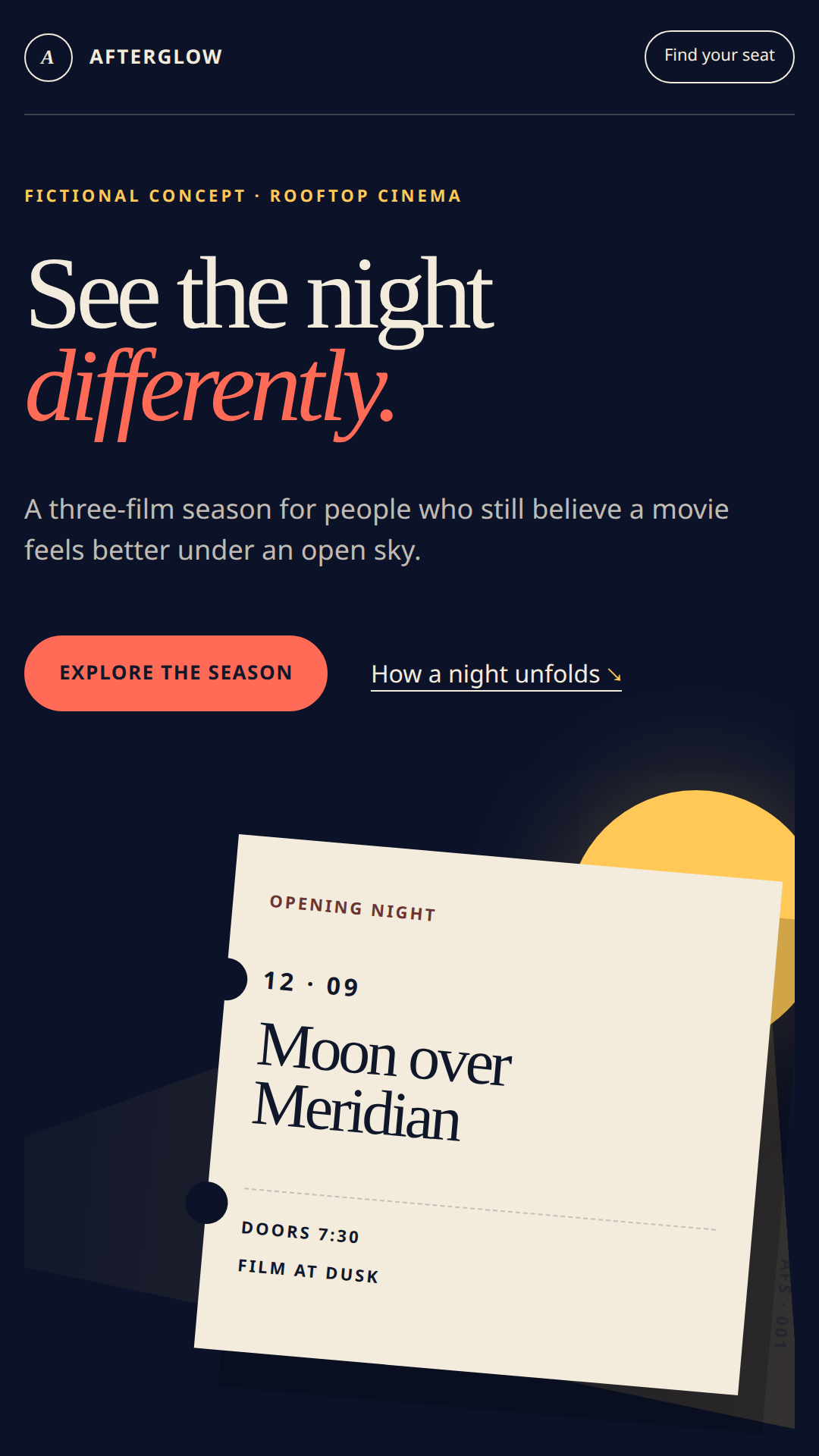
On August 15–16, 2026, we used a demo customer to build and publish Afterglow Film Society, a deliberately fictional rooftop-cinema microsite. No Stripe checkout was performed and the demo activity was excluded from product analytics.
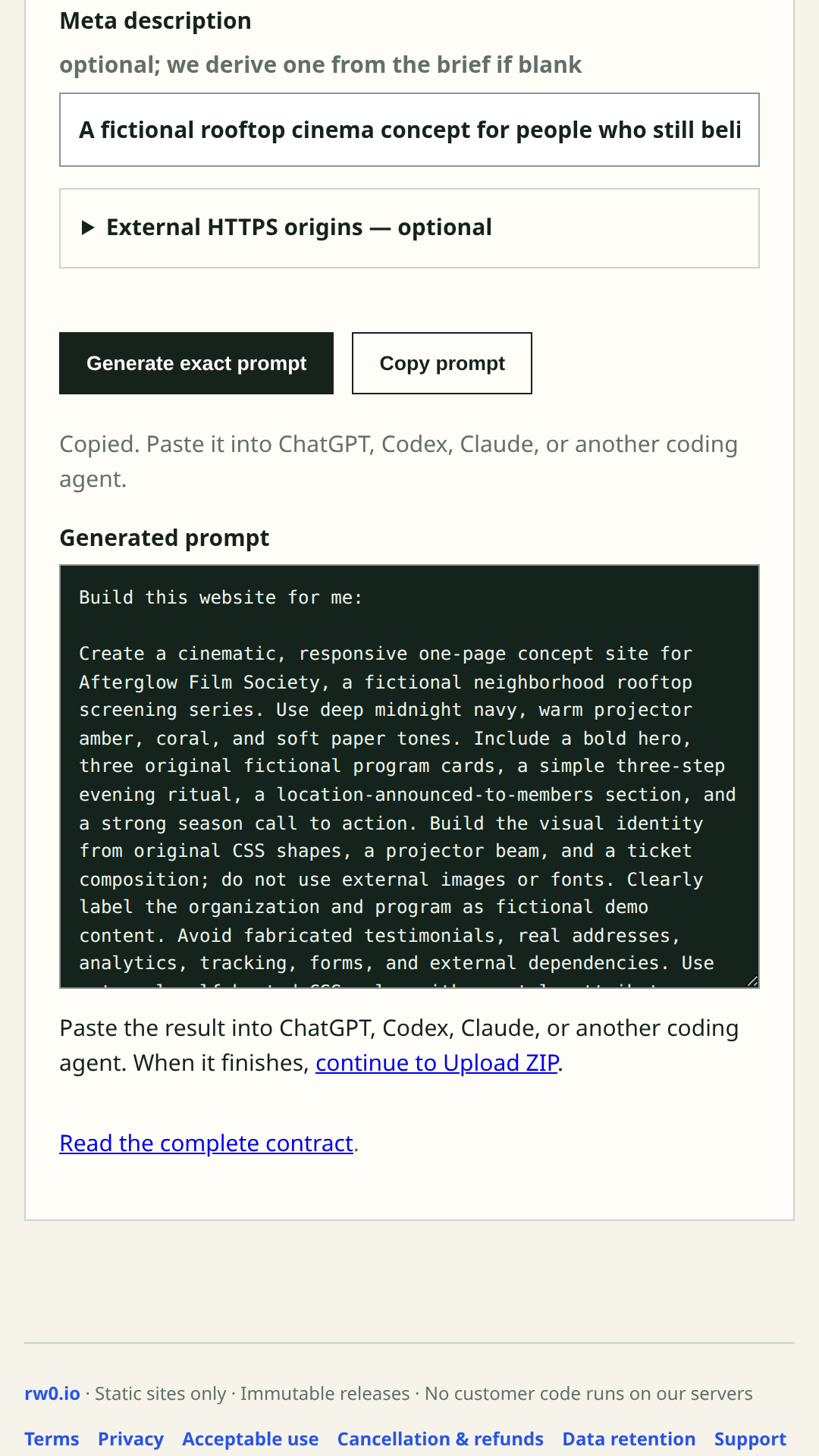 01
01Turn the idea into an exact build contract
We described a fictional rooftop cinema called Afterglow Film Society. The prompt builder joined that creative brief to the implemented Small Static Site v1 rules, including the manifest, package limits, static-only boundary, and validation steps.
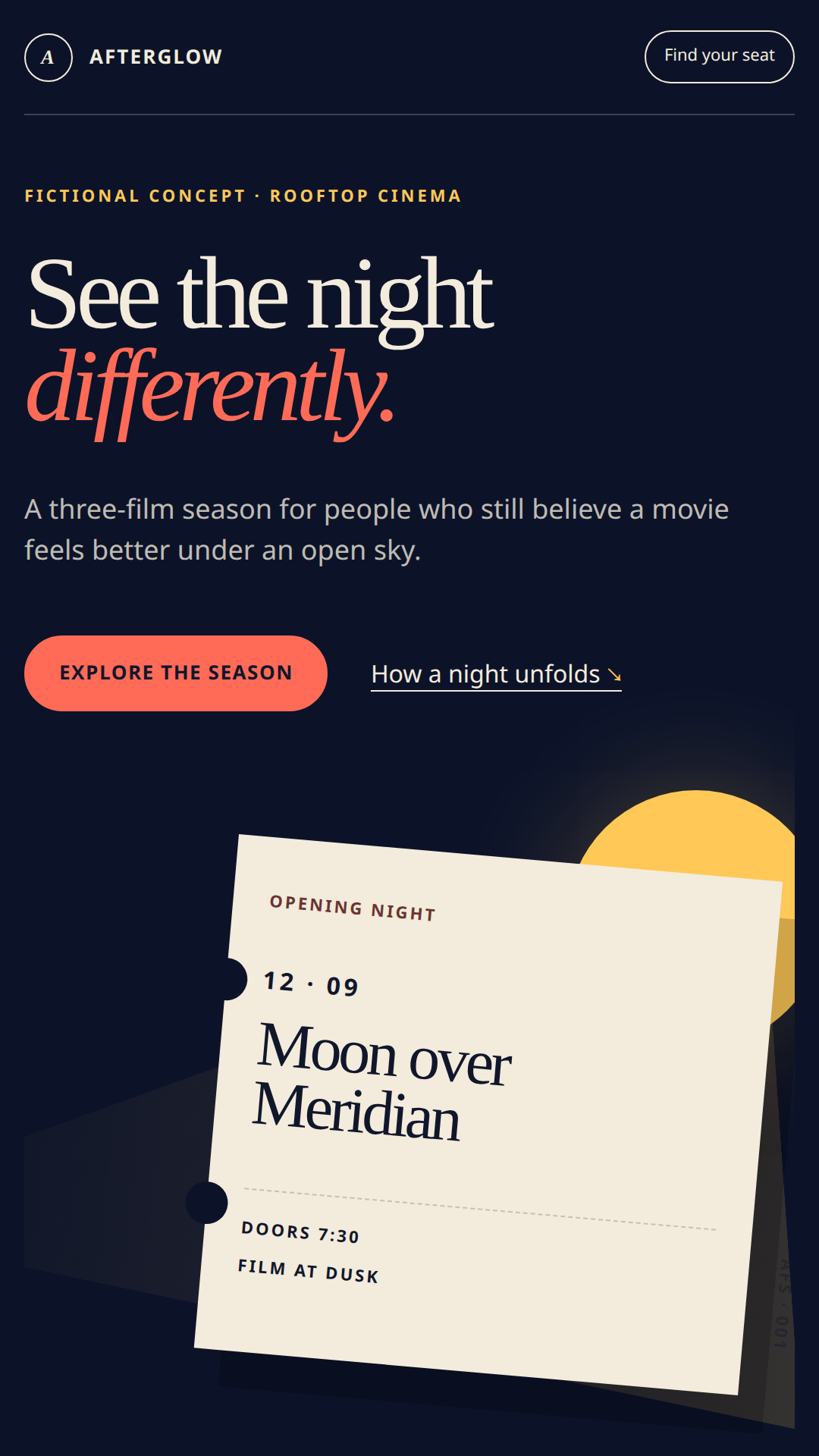 02
02Build and inspect the original site locally
The coding agent produced semantic HTML and external CSS with no JavaScript, inline styles, or external origins. We checked the real output—not a mockup—at phone and desktop widths before packaging it.
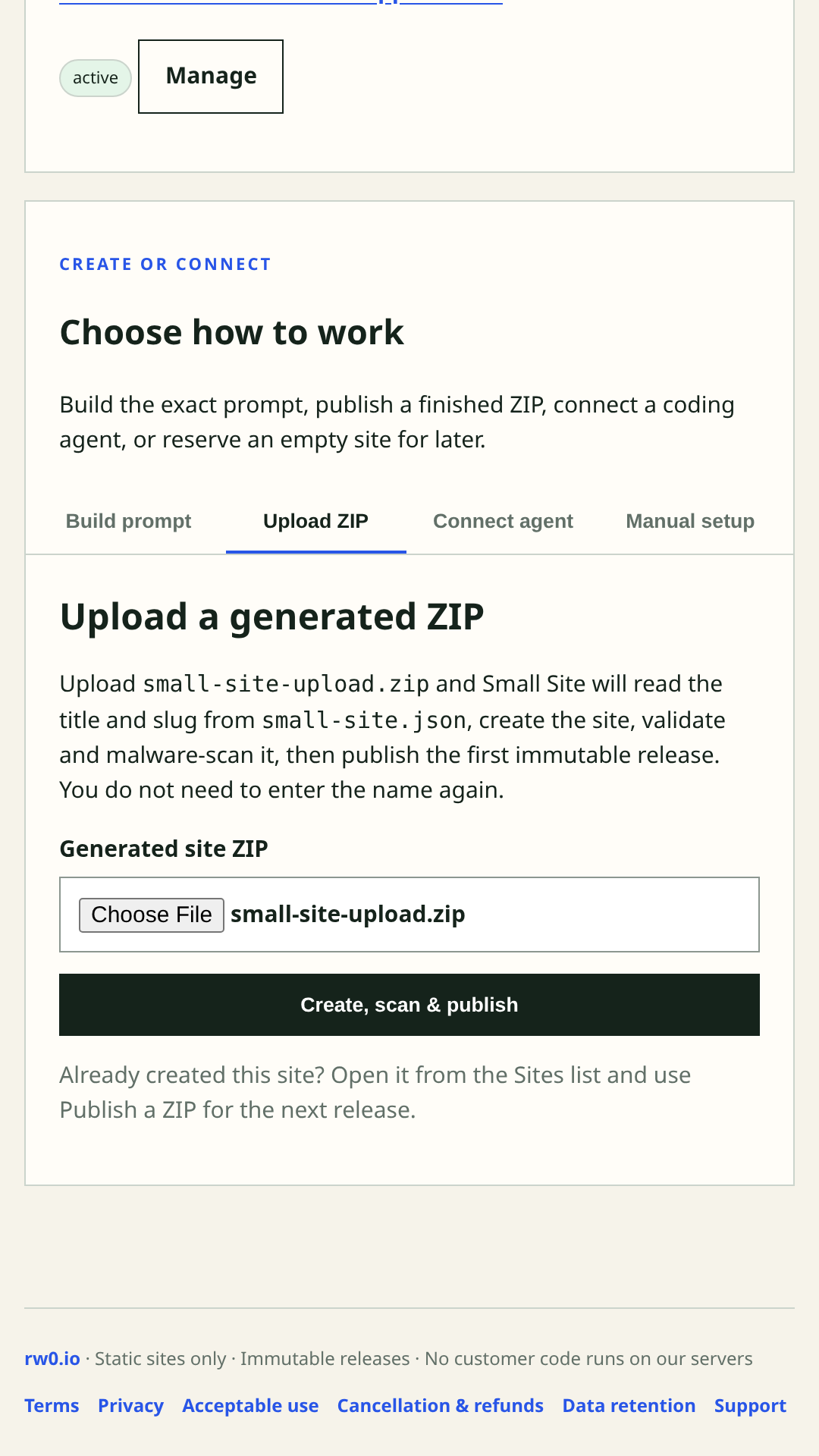 03
03Select one finished ZIP
The ZIP root contained small-site.json and site/. Its manifest supplied both the human title and stable slug, so the dashboard did not ask us to retype the site name.
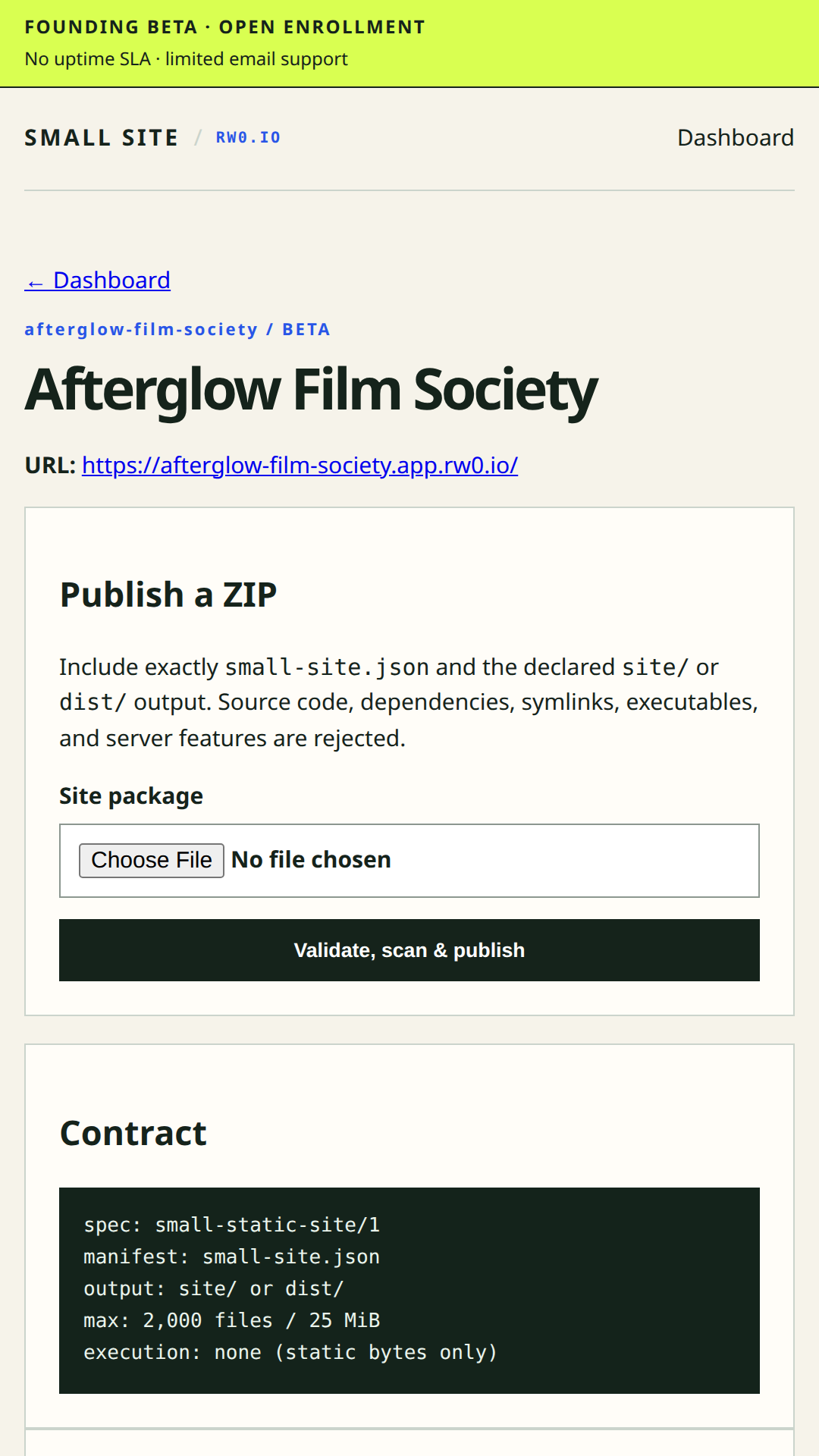 04
04Wait for an active release
The production workflow validated the package, scanned it, stored an immutable release, and returned an active site. Checkout or a browser redirect alone never grants publishing access.
 05
05Open the stable public URL
The exact release went live at afterglow-film-society.app.rw0.io with the expected site and deployment headers, restrictive Content Security Policy, and packaged 404 page.
WHAT WE VERIFIED
Publication is a result, not a redirect
The canonical package check passed. The three output files totaled 16,779 bytes and declared no external origins or inline styles.
The release state was active. The public page returned HTTP 200 with the expected site ID, deployment ID, restrictive CSP, and packaged content.
The release is immutable and content-addressed. The production flow retains release history for rollback, and the post-publish encrypted backup completed successfully.
Afterglow's organization, dates, films, and venue language are fictional demonstration content. The dashboard, package validation, release identifiers, live response, and screenshots came from the real production workflow.
FIX THE COMMON HANDOFFS
Start with the guide that matches your files
Turn a website made with Claude into a validated static ZIP and a public HTTPS URL without giving the host your source project.
Read guide →CHATGPT HTML TO HTTPSHow to publish a ChatGPT HTML websitePackage HTML, CSS, JavaScript, and images generated with ChatGPT into a safe static website and publish it at a stable public URL.
Read guide →NO REPOSITORY REQUIREDHow to host a ZIP website without GitHubPublish a finished static website ZIP directly, with validation and immutable releases, without connecting a GitHub repository.
Read guide →UPLOAD THE BUILD OUTPUTVite dist vs. source: which folder do I upload?For a Vite website, build locally and upload the generated dist directory—not src, node_modules, or the development project.
Read guide →CONTENT SECURITY POLICYFix “style-src 'self'” inline-style errorsMove inline CSS into a local stylesheet so an AI-built static site works under Small Site's strict style-src 'self' Content Security Policy.
Read guide →NEXT.JS STATIC COMPATIBILITYWhy a Next.js or Turbopack ZIP fails static-site validationMake an existing Next.js project genuinely static, rebuild with the compatible bundler, and package only its exported dist output.
Read guide →PUBLIC FOUNDING BETA
Have the finished ZIP?
Create an account, upload the bounded static artifact, and wait for the active release and stable URL. The founding beta is $5 USD/month for up to three active sites.
Create an account and publish